
Client Installation
Installation Environment
| Operating System | Linux series 64-bit operating system |
|---|---|
| Hardware Config | |
| Disk | 20GB or more of continuous free space |
| CPU | Single core 2.8GHz or above, dual core 1.6GHz or above, dual core 2.0GHz or above recommended |
| Network Card | 1000M |
| Memory | At least 4GB, 8GB or above recommended |
| Software Environment | JDK 17 |
Installation Steps
- Environment Preparation
Because the online application client is developed based on Java, you need to install JDK 17. You can check it by running java – version, as shown in the figure below

- Steps
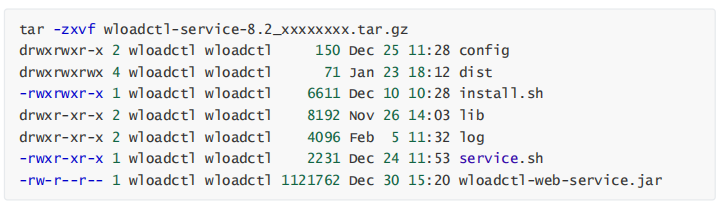
- Upload and extract the installation package
wloadctl-service-x_x.tar.gz
unzip wloadctl-service-x_x.tar.gz
- Navigate to the extracted directory
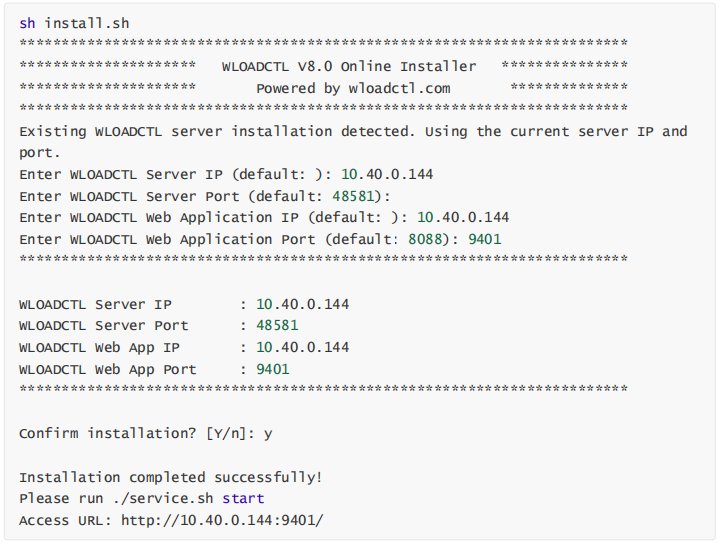
wloadctl-service-x_xand execute the following command.
sh install.sh
- Confirm the IP/port of the web application and the IP/port of the scheduling service.
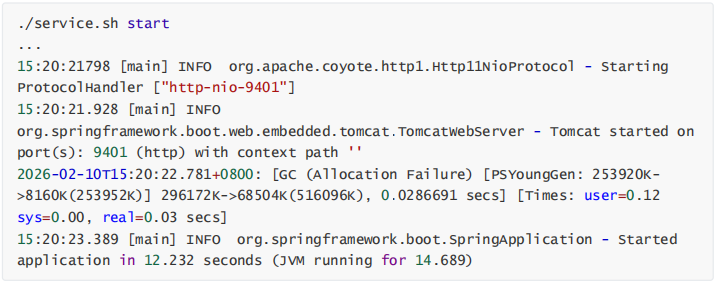
- Execute to start the web application.
sh ./service.sh start
- Access the following address via a Webkit-based browser:
http://10.40.0.144:9401