Compile
Job control containers that have been designed can only be published to the Monitor working environment for scheduling after successful compilation.
Purpose of Compilation
Compilation is divided into frontend and backend compilation. The main purposes are:
- In-depth inspection of design information to further ensure the accuracy of design information, such as checking format legality, attribute length, special characters, syntax structure, etc.
- Convert the designed XML text information into data files recognizable by the scheduling service.
Compilation Results
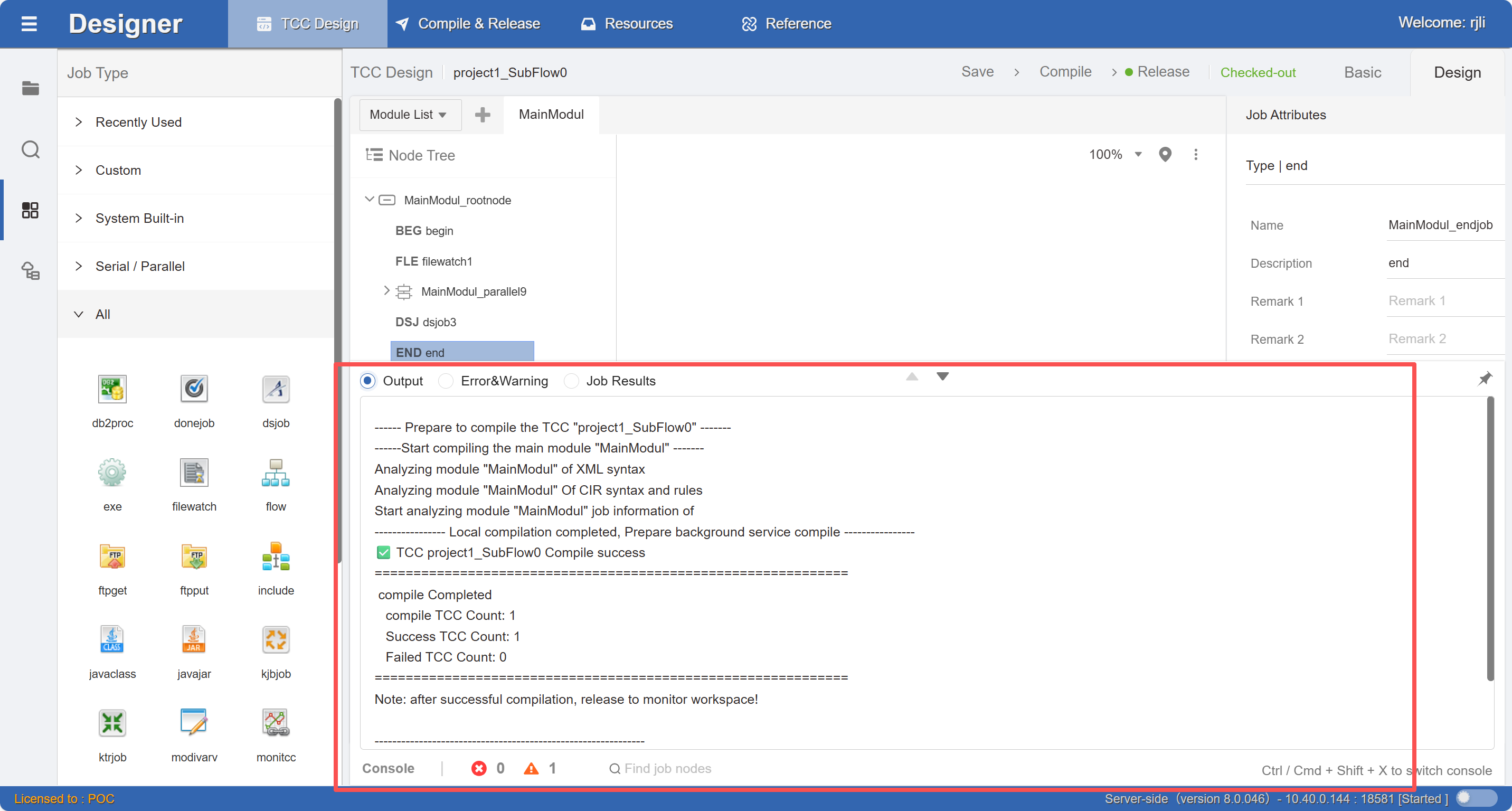
Compilation result information is output to the console, including log text information and error and warning records.
In the error and warning records table, you can click on a record to directly locate to the corresponding job.
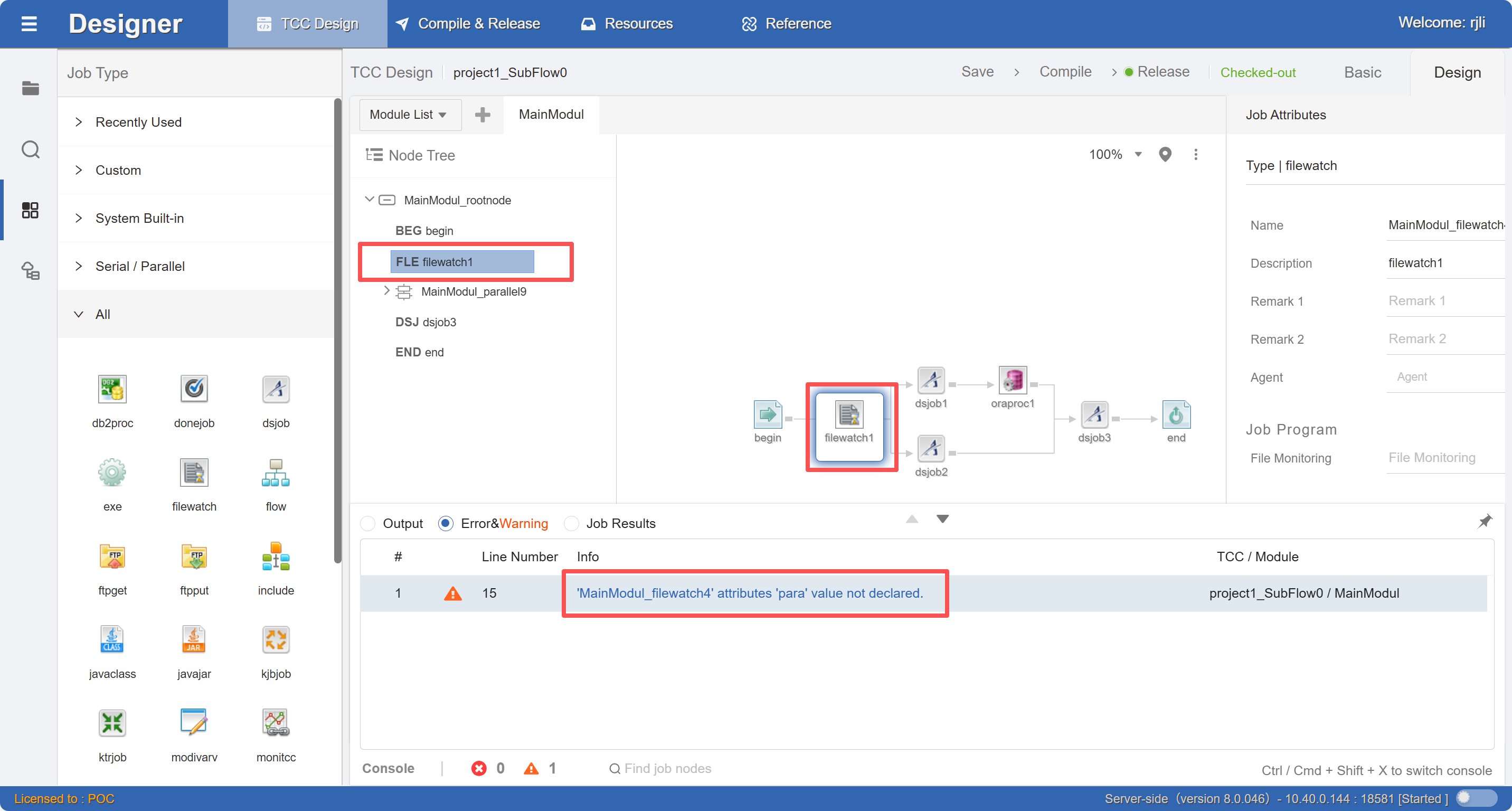
Please make sure to fix error-level information, and it is also recommended to fix warning-level information, which will help improve the robustness of design information.
Console Panel
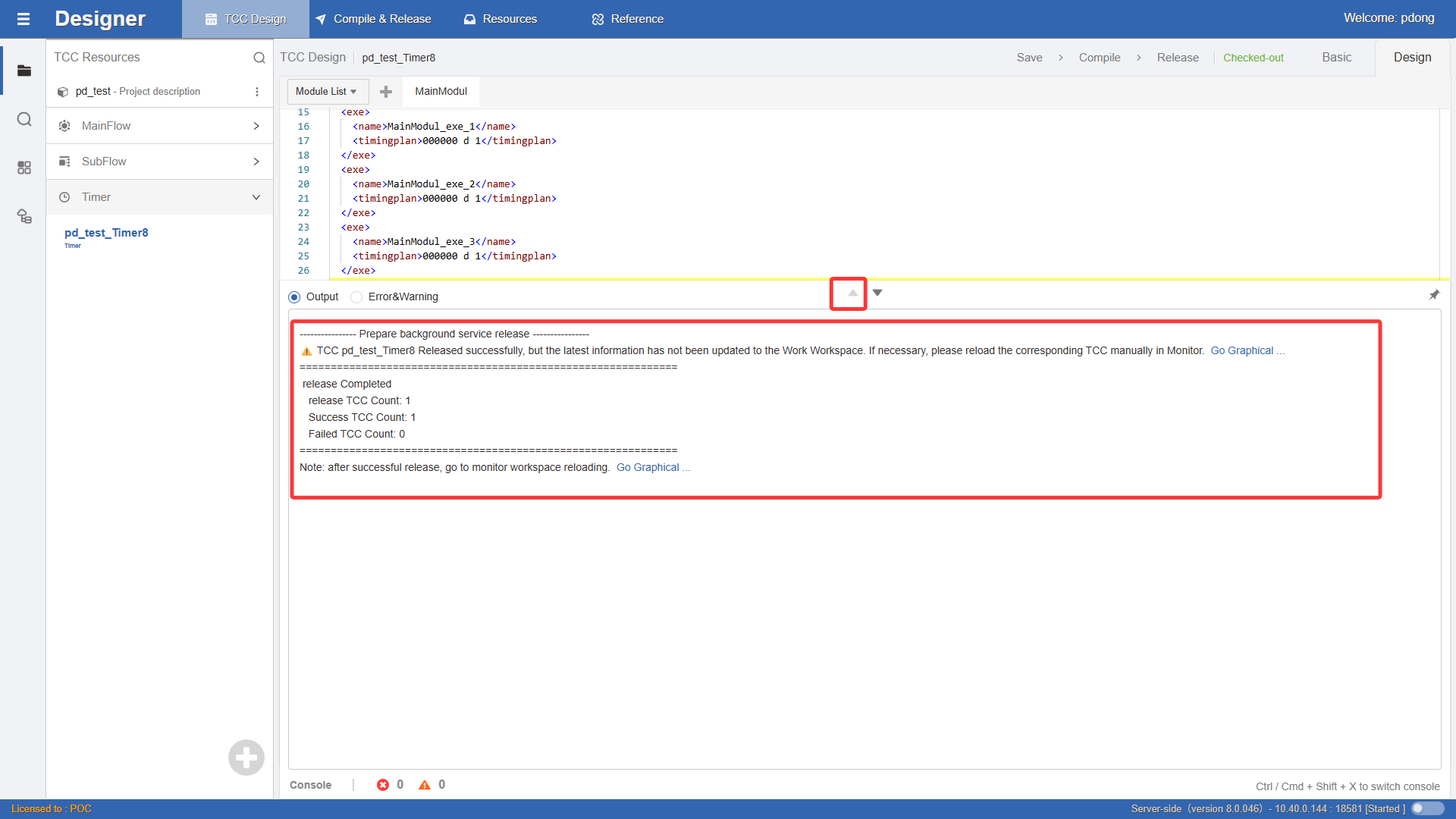
Click the button below to pop up the Console panel upward, as shown in the figure below. This window is divided into Errors and Warnings and Job Search Results. It displays real-time information about issues that occur during module coding. Double-click on a data row in the table to quickly locate to the specified code position. As shown in the figure:
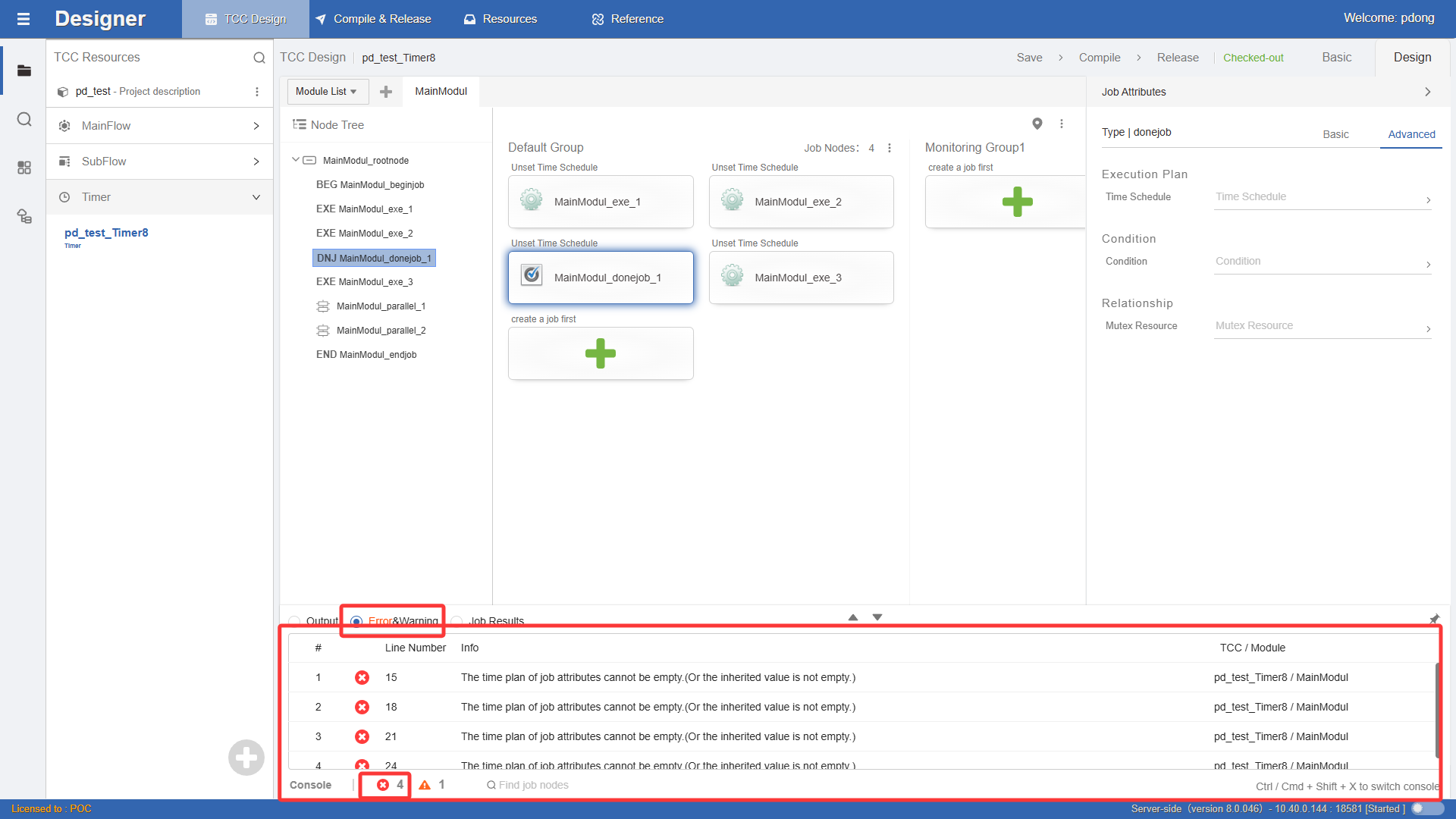
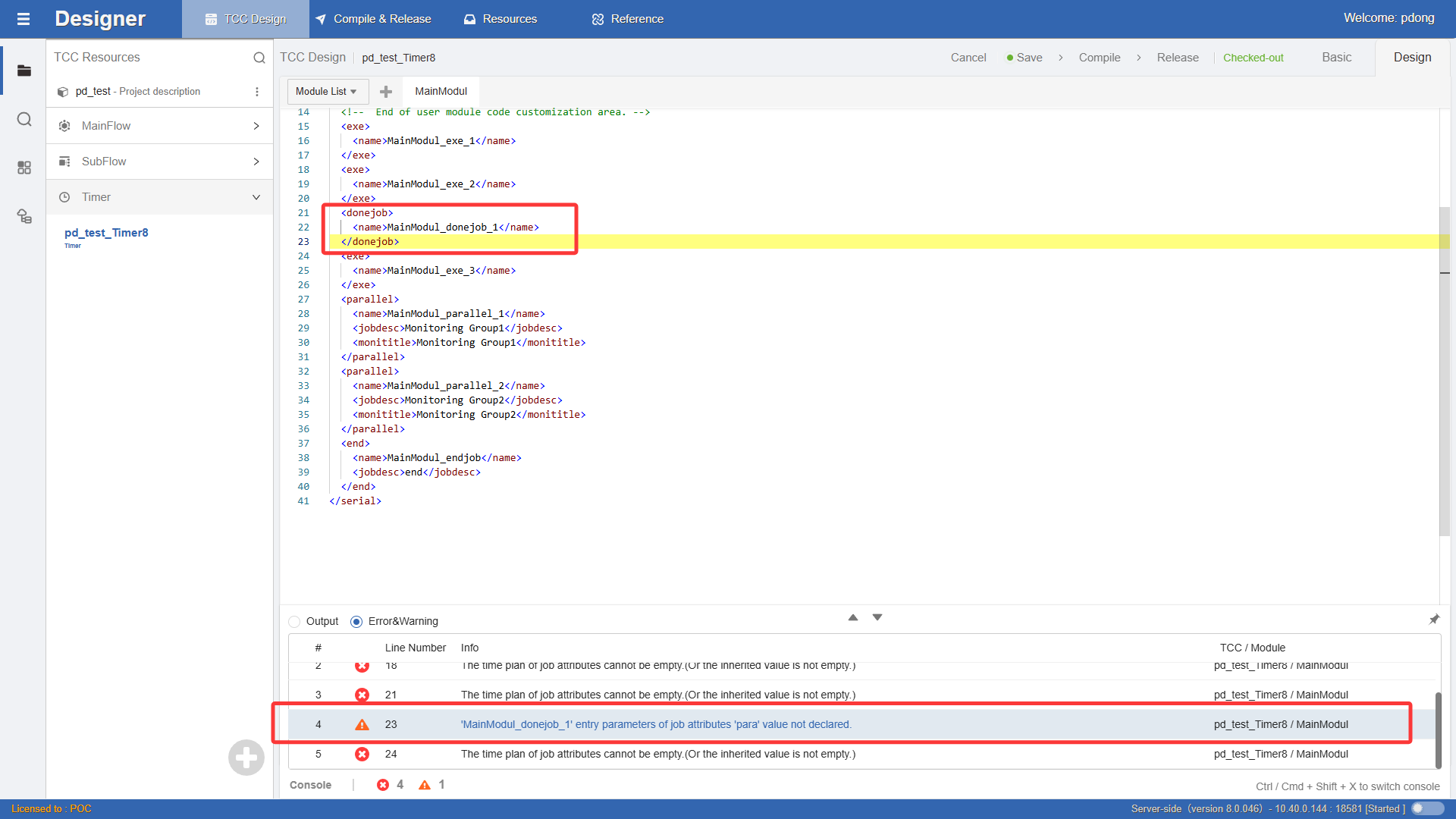
After the workflow completes the compile command, this window will automatically pop up, showing the compile output information of the workflow. You can filter the compile output information through the workflow dropdown list box. As shown in the figure: