Node Management
The node information area includes node creation and modification. The node relationship diagram area includes node startup, stop, and deletion. The display of the node information area and the node selected in the node relationship diagram are linked, as shown in the figure:
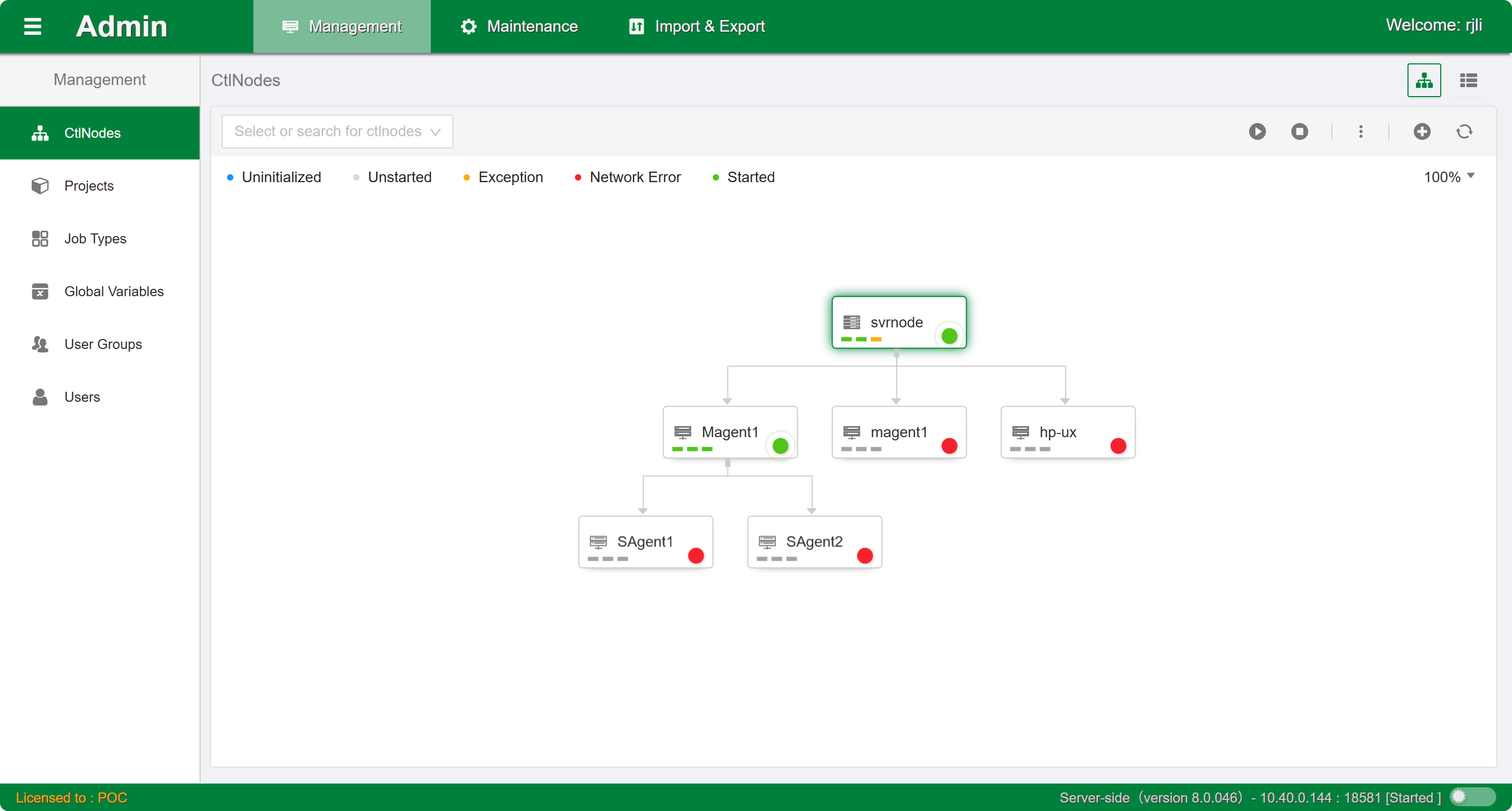
Based on the above figure, the platform node attributes are as follows:
- Node type: This attribute determines whether the node is a primary agent node or a secondary agent node.
- Node name: It is one of the key indexes for node information. When using it, pay attention to the following points:
- Uniqueness: Node names are unique throughout the platform and cannot be duplicated.
- Length: Node name length cannot exceed 30 characters.
- Input restrictions: Only English characters or underscores can be used, and cannot start with a number. Full-width characters and Chinese characters cannot be entered.
- IP address and port number: The IP address and port number of this node. Since the application layer and the core control layers communicate via the TCP protocol, this must be set for communication. When using it, pay attention to: Ports on the same IP cannot conflict.
- Parallelism: The maximum number of jobs running simultaneously on this node. Each agent node can control its own parallelism. The default value is 5.
- Virtual resources: Scheduling logical resources, similar to parallelism. Parallelism controls the number of jobs, and virtual resources control logical weights. Each agent node can control its own virtual resources. The default value is 100.
- Enabled status: Control nodes that are temporarily not in use can be disabled. After a control node is disabled, jobs running on the control node will fail; the service node will no longer inspect this node; and the load balancing algorithm will ignore this node.
- Running status: Displays the current running status of the node.
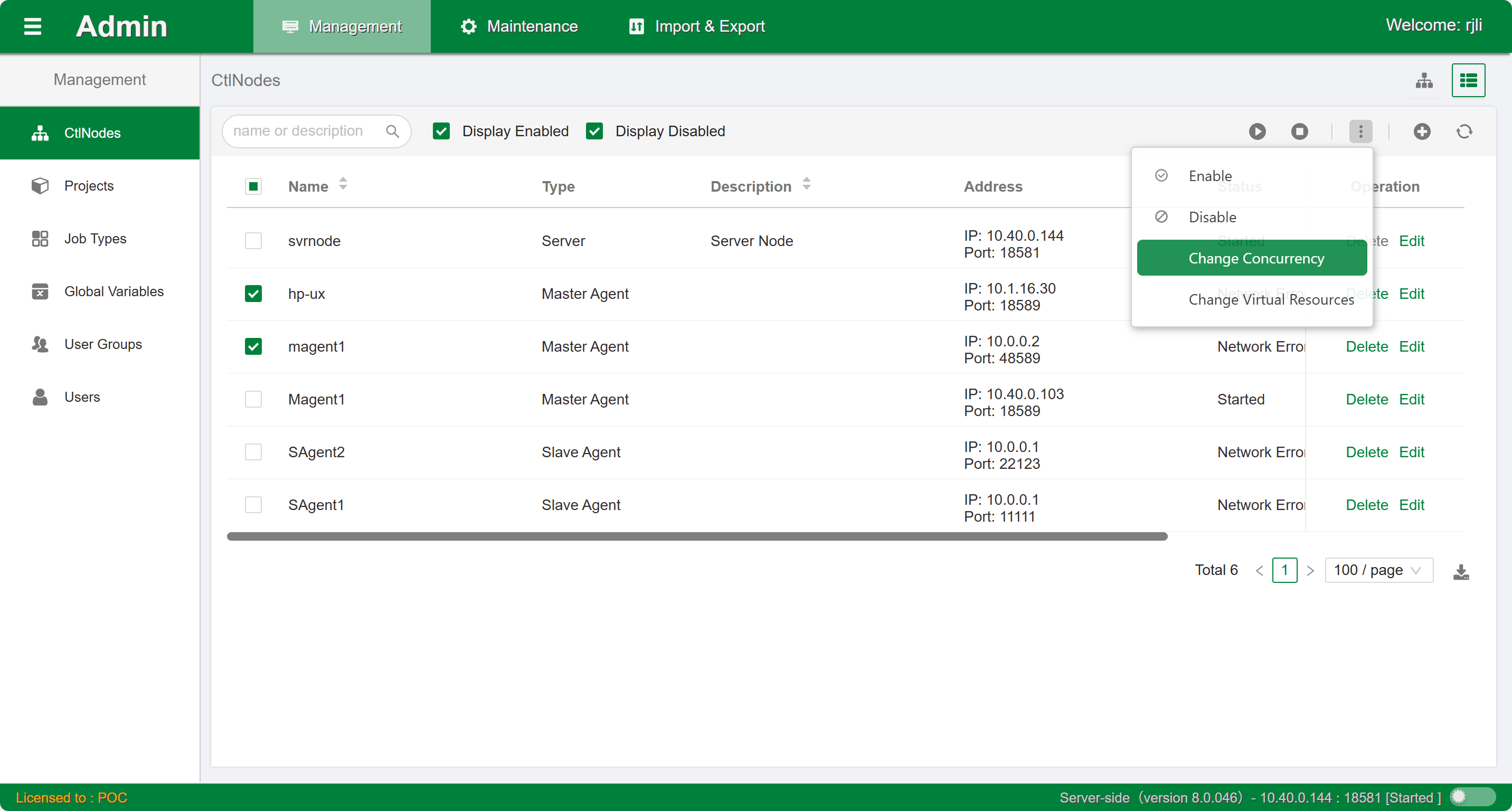
Additionally, you can also switch to table mode to view the node list data.
Create
The system can only create a parent node before creating a child node.
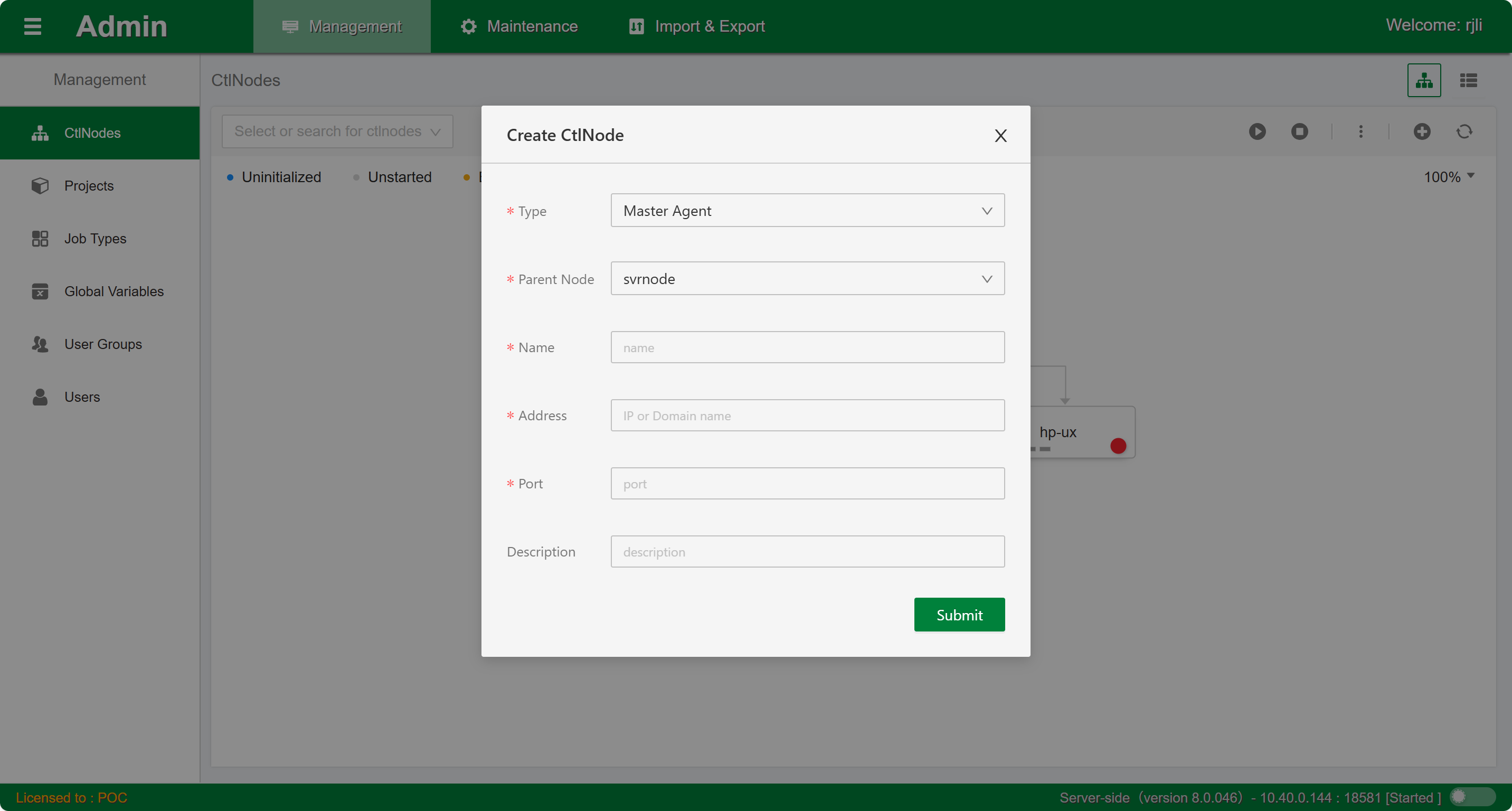
- Primary agent node creation: Select the
svrnodenode in the node relationship diagram. In the node information area, selectCreate Primary Agent. Enter the node name, IP address, port number, maximum parallelism, and virtual resources. The recommended default value for virtual resources is 10 or 100. - Secondary agent node creation: Select the primary agent node to which you want to add a secondary agent in the node relationship diagram. In the node information area, select
Create Secondary Agent. Enter the node name, IP address, port number, maximum parallelism, and virtual resources. The recommended default value for virtual resources is 10 or 100. Note: Once a node is created, the node name cannot be modified.
Modify
Select the node to modify in the node relationship topology diagram or list, and then click the Edit icon to open the sidebar for modification.
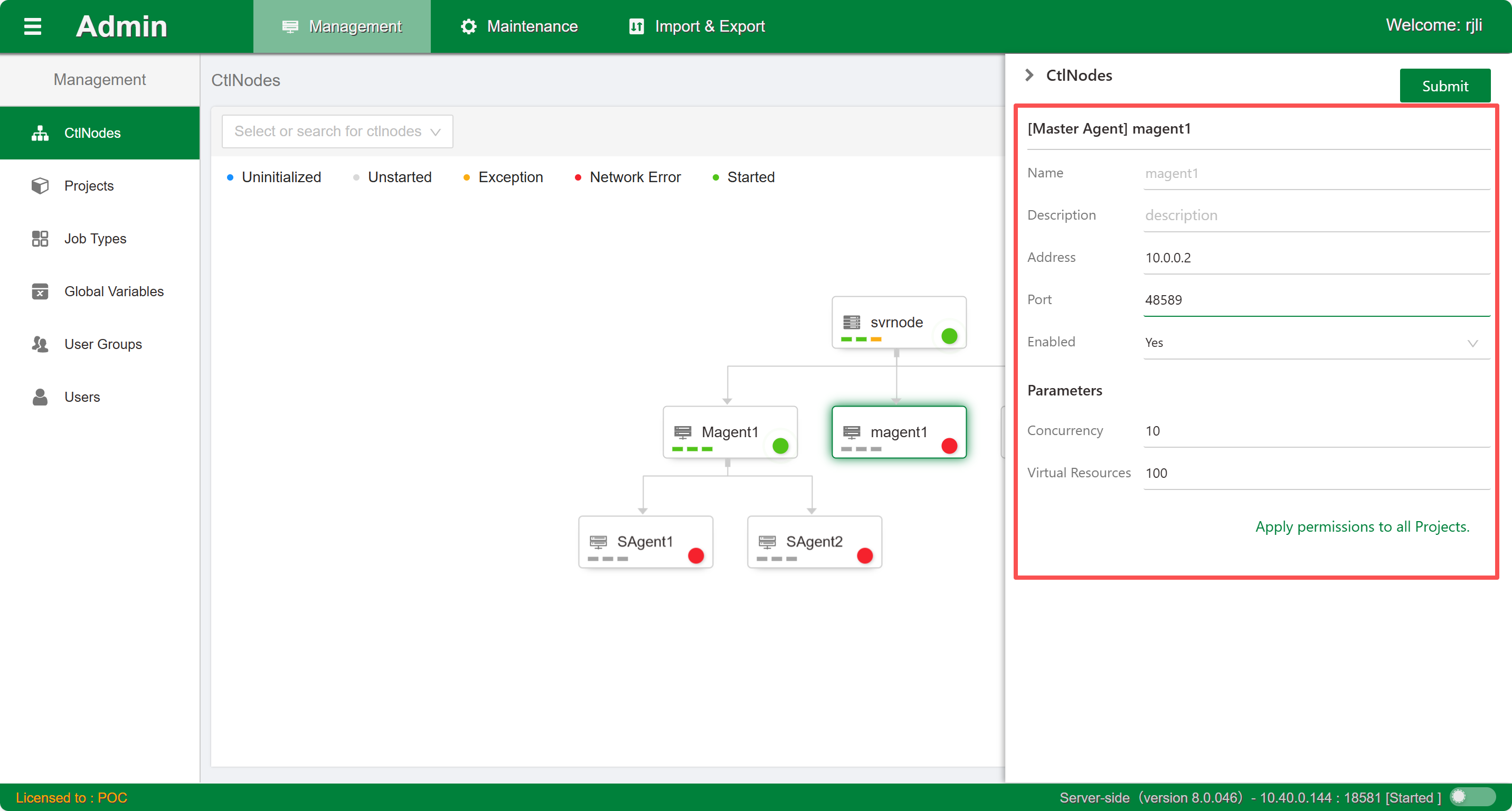
- Scheduling service node modification: IP and port information cannot be modified, and cannot be disabled.
- Primary agent node modification: Node name, IP address, port number, and other information can be modified.
- Secondary agent node modification: Node name, IP address, port number, and other information can be modified.
Delete
Select the node to operate on in the node relationship topology diagram or list, and then click the Delete icon to pop up the operation panel. Scheduling service nodes cannot be deleted. Agent nodes (primary/secondary) can be deleted. Note: If the agent node has child nodes, they will be deleted along with the child nodes.
Start or Stop
Select the node to operate on in the node relationship diagram. In the current node's function operation panel, start or stop the service.
Batch Operations
Switch to table mode to perform batch start or stop, modify parallelism or virtual resource values for the selected nodes.