
Job Control
Batch operations perform Execute, Run with Dependencies, Interrupt, Interrupt Loop, Force Pass, Enable, Permanent Disable, Disable Once, Lock, Unlock, Disable Date Plan, Enable Date Plan, or Top Priority operations on jobs.
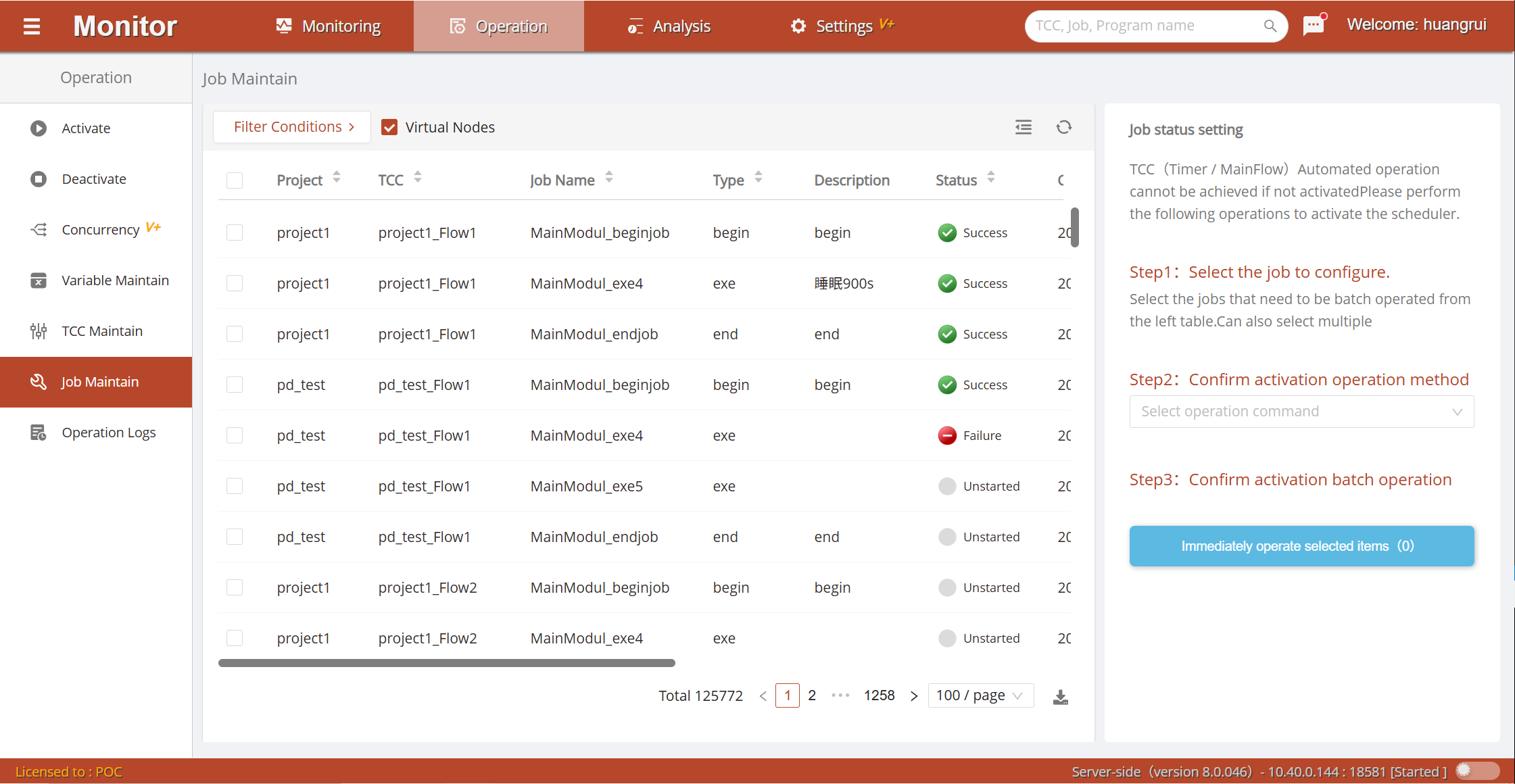
Click the Filter Conditions button to pop up the filter panel. Quick filters provide shortcuts for common job running statuses and characteristics. You can also perform custom filtering by conditions such as project, container type and range, job type, platform node where the job runs, and job running status.
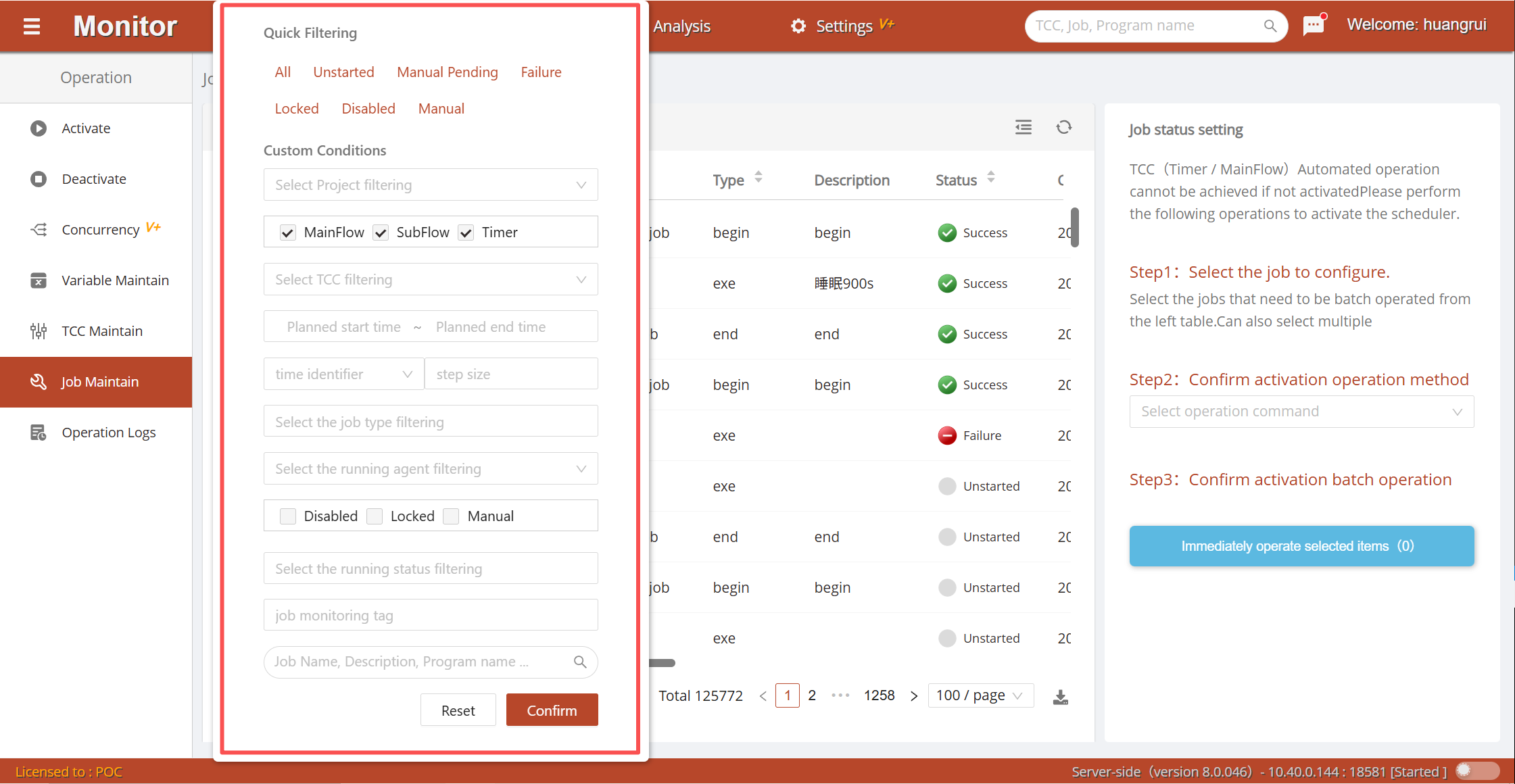
The list displays job attributes and related running information: owning project, owning container, name, type, description, running status, and execution agent.
Select (multiple selection supported) the jobs to operate on in the list. Select an operation command in the right operation panel and click the Execute Now button to pop up the Batch Operation execution window. Click the Confirm button to start executing batch commands. During batch execution, you can interrupt operations that have not yet been executed. After completion, the execution status is reported in the Execution Results section.
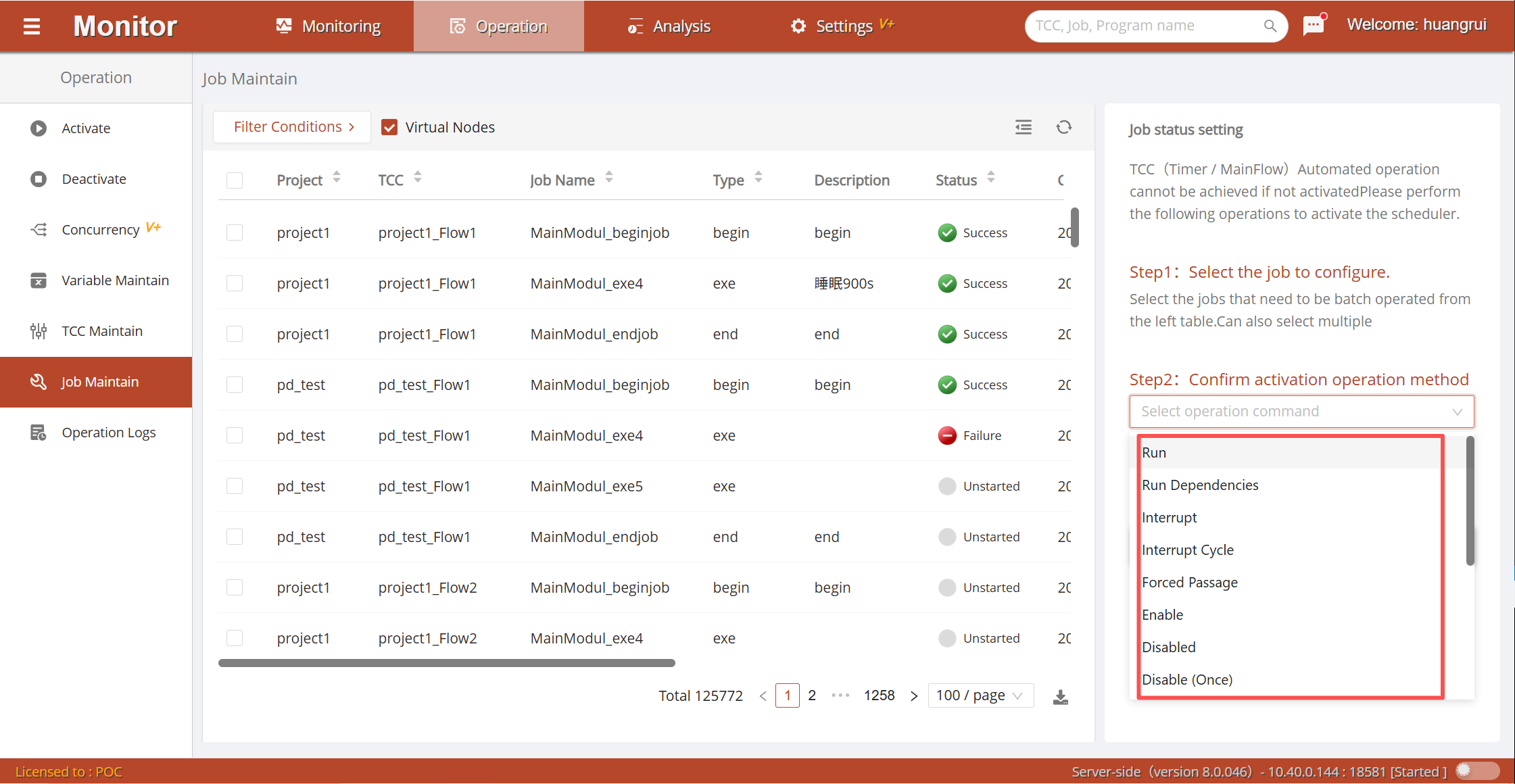
Detailed operation methods are as follows:
Execute: Executes a job when the job container is started. Running jobs cannot be executed again. Usually used for job containers started in free mode and jobs that require manual execution.Run with Dependencies: When the job container is started, runs the job and its subsequent dependency chain.Interrupt: Terminates the currently running job. After successful interruption, the job is in a failed state. Refer to the Stop Activation section for notes on interruption.Interrupt Loop: Terminates jobs or modules that are in a loop. After interrupting a loop job, the job is in a failed state. After interrupting a loop module node, the module and all jobs within it are in a loop interruption skip state.Force Pass: Can only operate on failed jobs. After force pass, the job is in a force-pass state.Enable: Enabled jobs can normally participate in scheduling execution.Permanent Disable: Permanently skips the job. Skipped jobs are in an invalid-pass state.Disable Once: Skips the next execution and then restores to the enabled state. Skipped jobs are in an invalid-pass state.Lock: When a workflow container (MainFlow / JobFlow) runs to a locked job, it pauses the execution of that job. The workflow container is in a paused state.Unlock: If a workflow container is paused due to a job being locked, canceling the job's locked state will allow the workflow container to continue running.Disable Date Plan: Cancels the scheduling strategy for the job's period date plan.Enable Date Plan: Restores the scheduling strategy for the job's period date plan.Top Priority: Sets a job in the running queue to the highest priority.