
Message Interface
Various messages generated within the system are sent in real time through the message interface. Message interfaces are divided into user-level interfaces and platform-level interfaces. User-level messages include email and SMS message interfaces. Users (except admin users) need to actively subscribe to message types and push channels in message settings in Monitor. Once the platform generates a new message, it will be sent to the user's phone or email address.
Email Settings
The platform email message interface provides standard SMTP protocol and general API interface sending methods. Users need to subscribe to platform messages and configure email addresses in user management. The built-in super administrator user admin cannot receive platform emails.
SMTP Protocol Interface
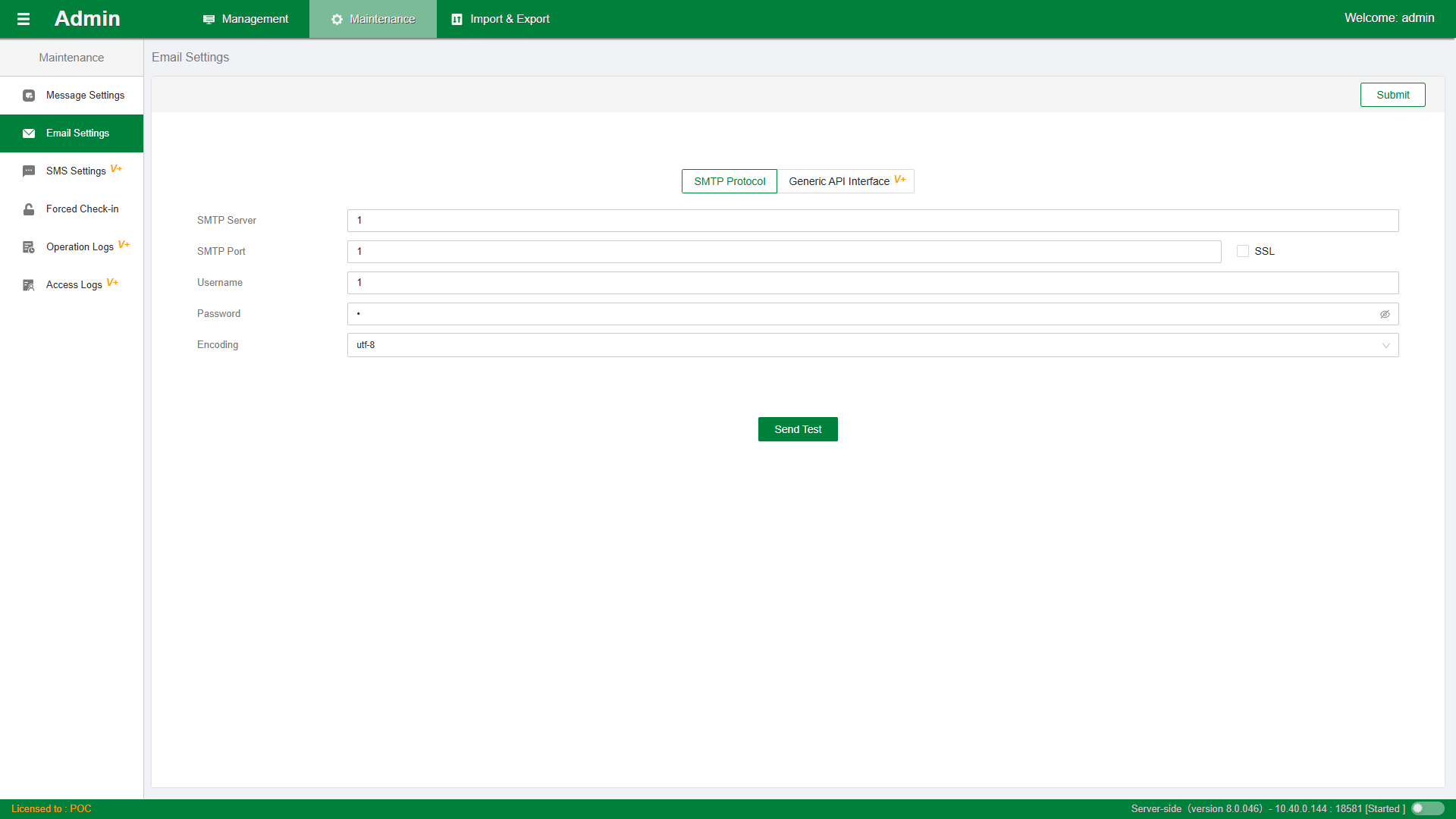
- Sending server: Enter the email service address or domain name according to the SMTP protocol
- Sending port: There are two common SMTP ports. The non-SSL protocol port number is 25, and the SSL protocol port is 465/994
- Username and password: The email account and password assigned by the email administrator
- Email encoding: Supports common utf-8 and gbk encoding.
General API Interface
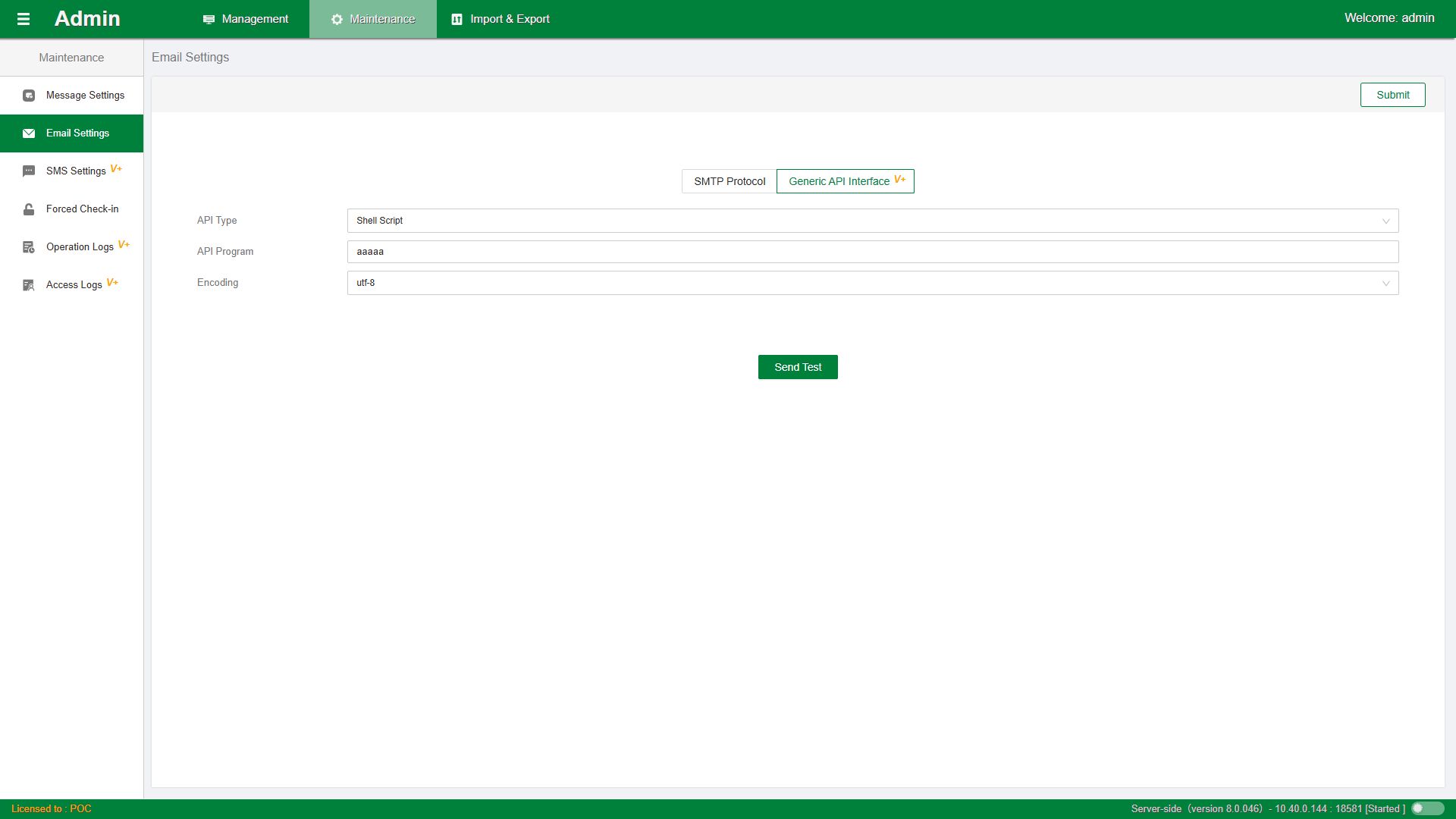
- Sending type: Supports common sending interface program types, such as Python, shell script, command line, and Java programs.
- Sending program: Configure the path of the sending program. When a platform message is generated, the sending program is automatically called with the parameters: [Recipient email address] [Content file path].
SMS Settings
SMS messages only provide the general API interface sending method. Users need to subscribe to platform messages and configure phone numbers in user management. The built-in super administrator user admin cannot receive platform SMS.
- Sending type: Supports common sending interface program types, such as Python, shell script, command line, and Java programs.
- Sending program: Configure the path of the sending program. When a platform message is generated, the sending program is automatically called with the parameters: [Recipient phone number] [Content file path]. The sending program forwards to the enterprise SMS gateway.
- Email encoding: Supports common utf-8 and gbk encoding.
Tip: Users can modify message interfaces on their own to adapt to more message push channels. For example, you can use the phone number as a LinkedIn account, and after connecting the SMS interface to LinkedIn services, you can directly push to the LinkedIn system.
Note: The return value of user-level message interfaces must set the program exit code to 4, such as exit 4 or sys.exit(4).
Platform Messages
The platform message notification settings are globally effective across the system and have multiple different message types. As shown in the figure:
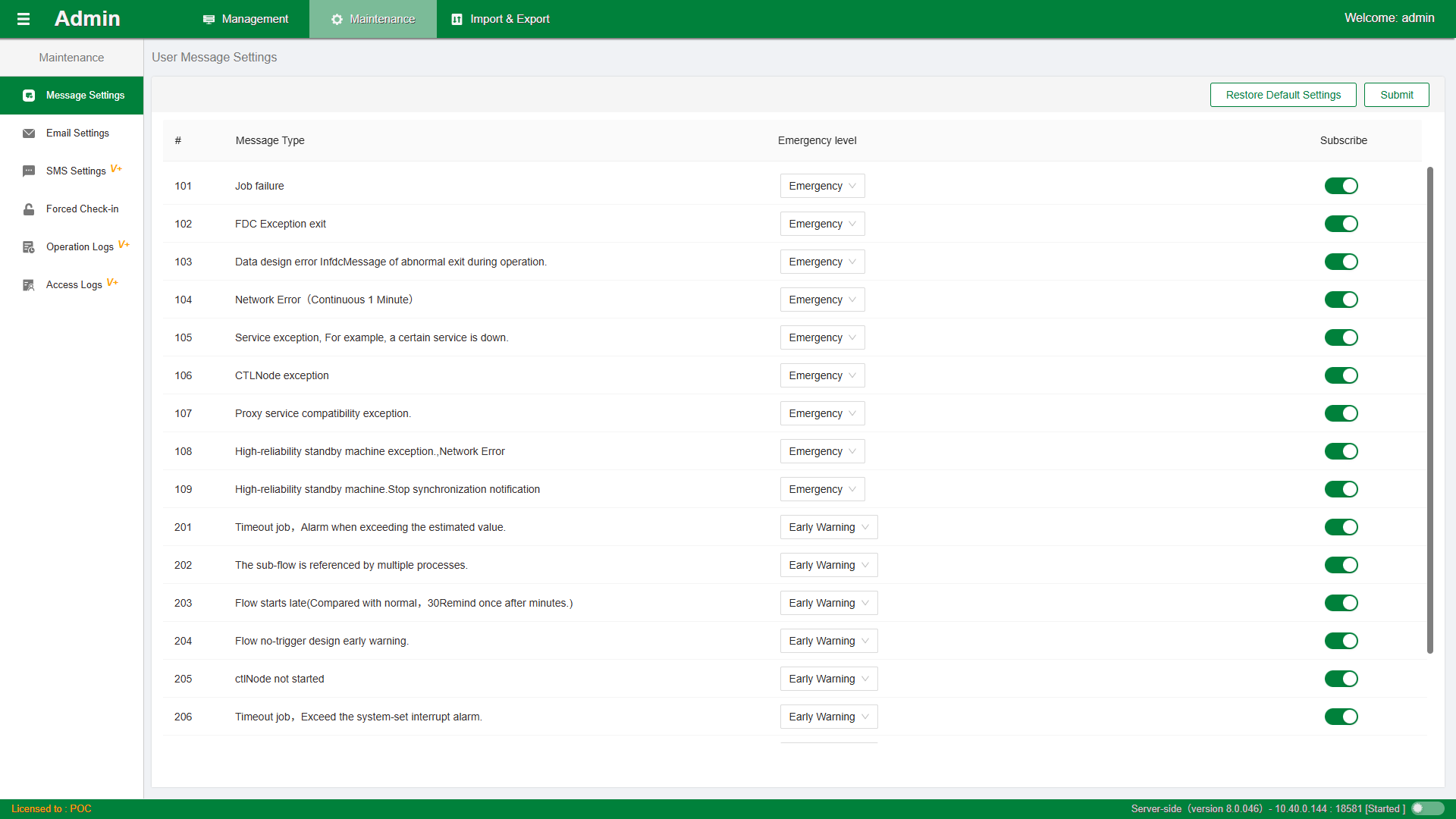
- Message level: You can set the message level yourself, with three optional levels: Emergency, Early Warning, Notification.
- Whether to enable subscription: Set whether to enable receiving of this message type.
After a platform message is submitted, a conf/msgoutapidshell.json file is generated in the service-side installation directory.
Currently, the platform message interface can only be configured through the MSGOutApiShellPath configuration item in the service-side configuration file conf/kernel.cfg. Through secondary development of this program, read the msgoutapidshell.json file to perform personalized message sending.