
Projects
Manage various business information systems and their job containers through projects, and assign different project permissions to users. This page mainly provides users with the ability to create, modify, and delete application projects. The application project content editing area includes project editing and deletion.
Add
Click the Create button to open the Create New Application Project window, as shown in the figure:
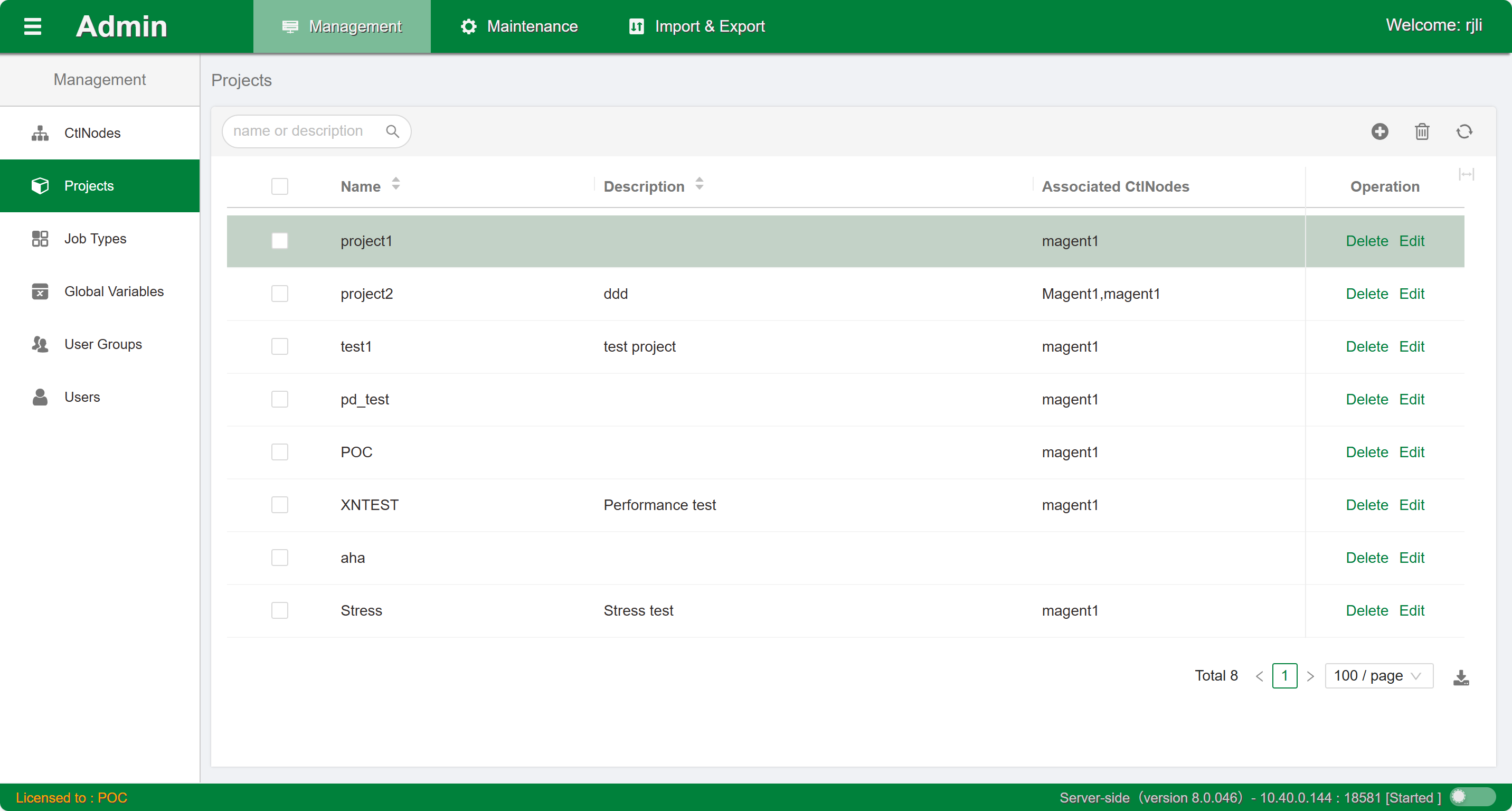
Follow the prompts to enter the project name and description. Note that once the project name is confirmed, it cannot be modified. Click the Submit button and wait for completion.
Edit
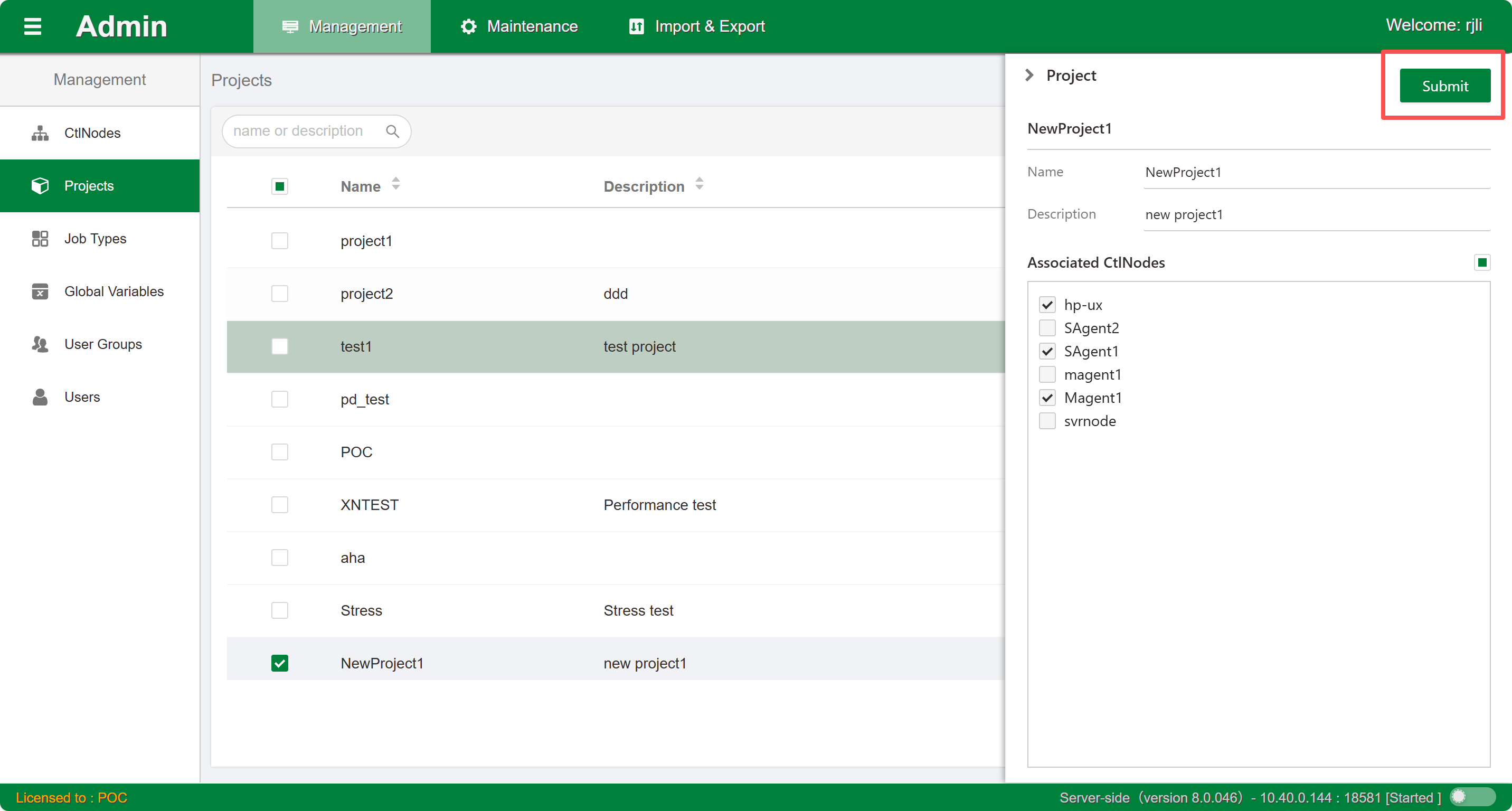
Click the Edit button in the list to open the current project's sidebar edit window. Modify and configure the description information and manageable node options. Click the Submit button and wait for completion.
Delete
Click the Delete button in the list to delete the current project. You can also select multiple projects for batch deletion. If there are containers under the project, the project cannot be deleted.
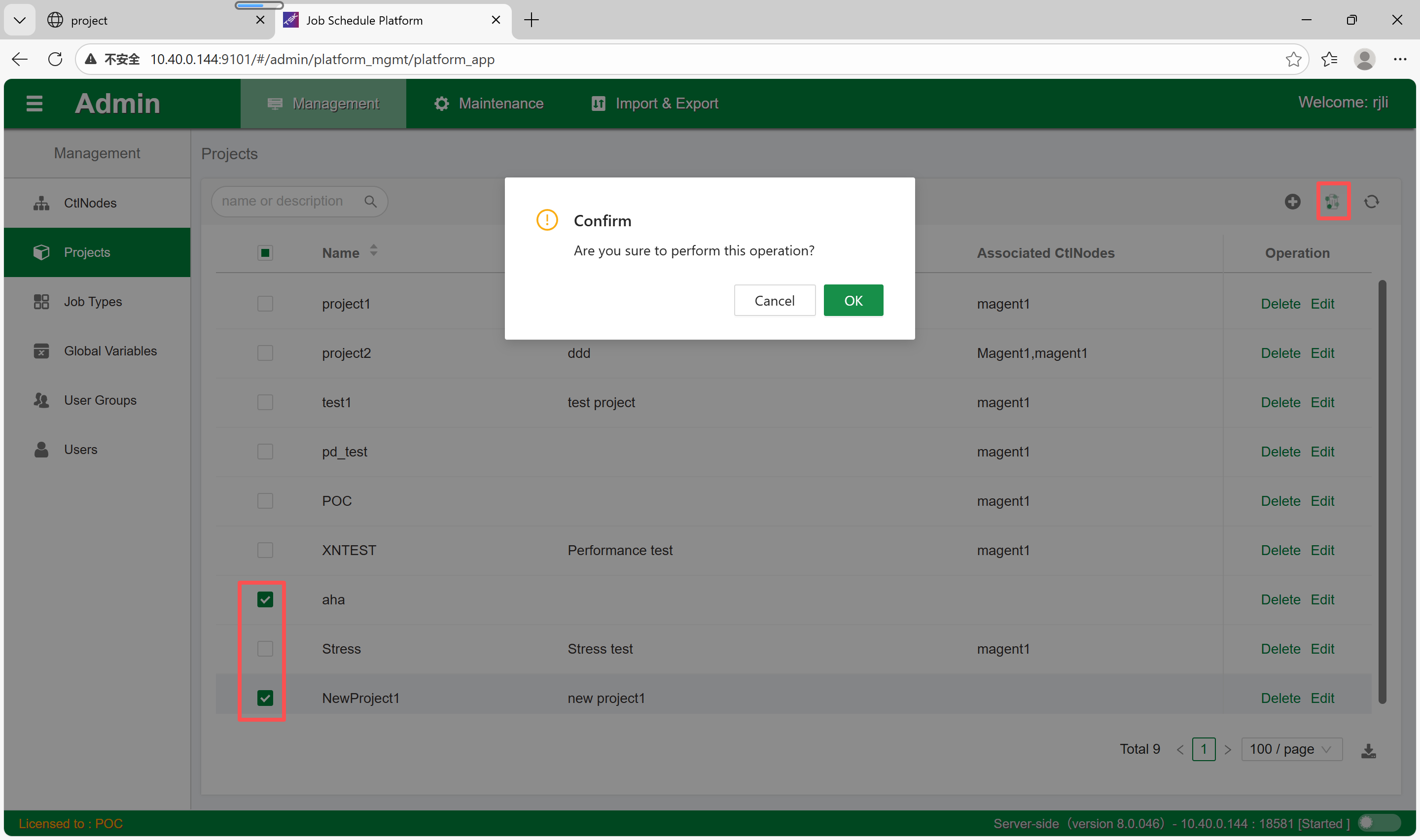
After deleting a project, orphaned controllers without a project can be listed through the backend character-based client.